Sharing items directly from your Dashboard is a great practice to organize collaboration process with your team.
You can share items via email, shareable link and TeamChat.
- Right-click a note you want to share.
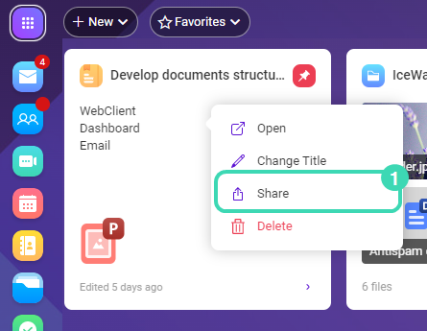
Figure. Notes sharing. - Select
 Share
Share  .
. - Enable the Share with others option.
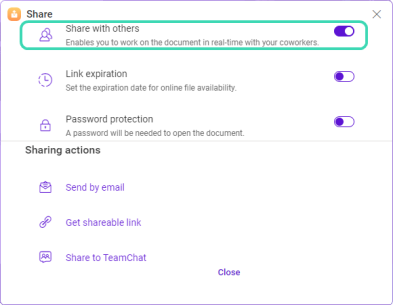
Figure. Actions sharing.Note: You can also enable the link expiration date or password protection of the shared document. - Select a sharing action: send via email, get the link and send it to all recipients via Instant messaging or share to a room in TeamChat.