We recommend to change password at least every three month.
- To change password go to WebClient settings (My avatar > Options > Accounts).
- Click the Change password button.
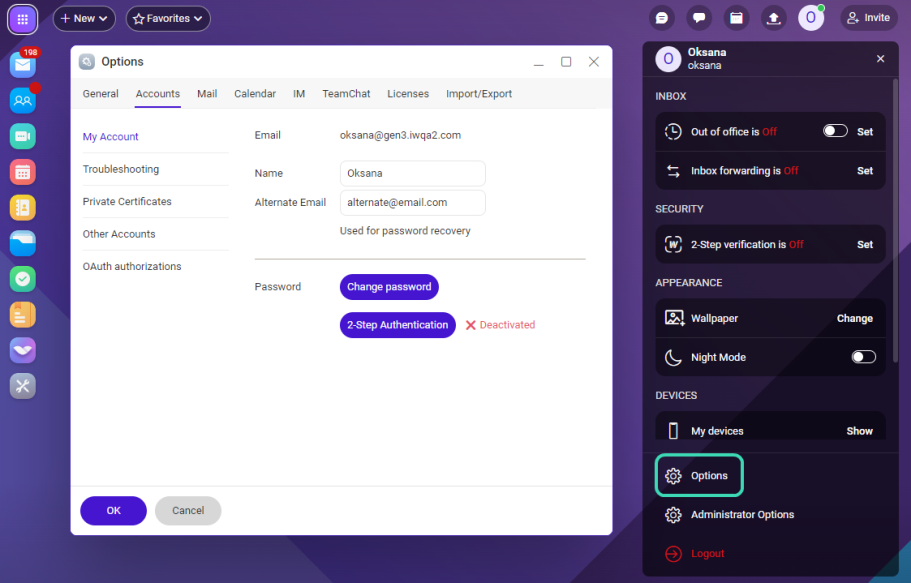 Figure. Changing password.
 - On the Password change dialog, enter your old password and new one twice (New Password, Confirm Password). Click OK. You have to follow the password policy.
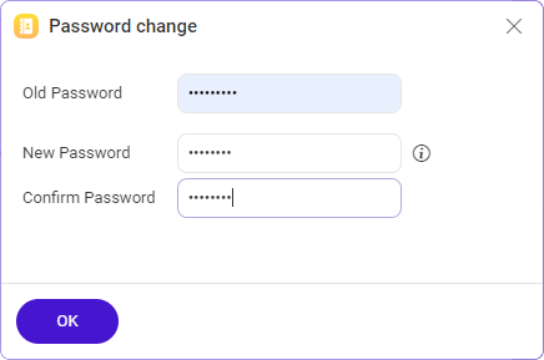
Figure. Password change dialog.Warning: National characters are not supported!