On the Dashboard workspace, you can create a Document, Spreadsheet, Presentation, Note or Folder.
- Right-click the empty space, select + New and the type of item you want to create.
- The item will be automatically pinned to the Dashboard.
Note: The documents and folders are stored in  Files & Documents, the pinned notes are stored in
  Notes.
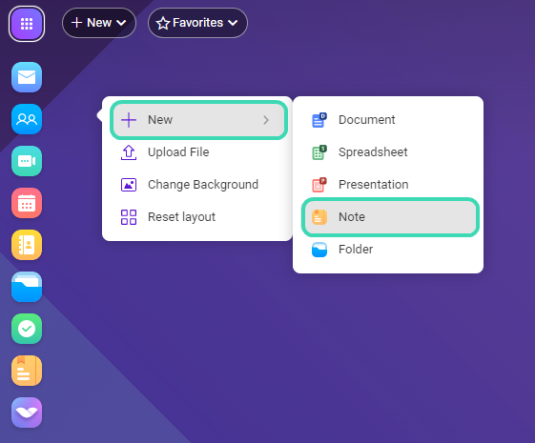
Figure. New item.