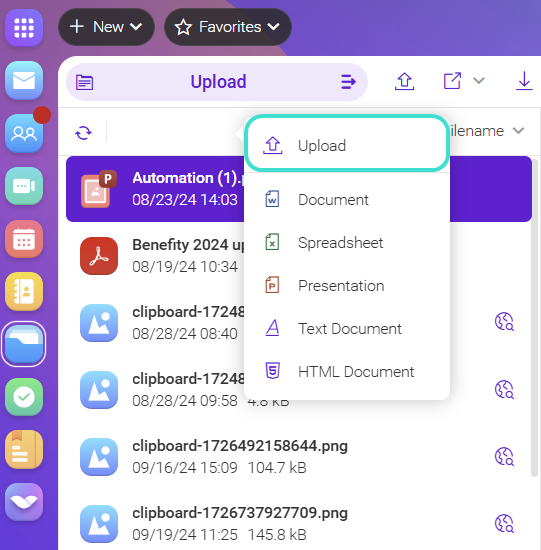
You can create a document directly in the WebClient or you can upload it from your computer.
- Click New in the Top Menu Bar and select a document type from the Documents section.
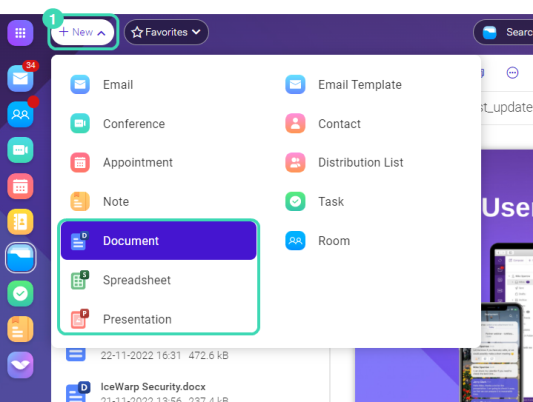
- In the document dialog, fill in the name of the document and select the location folder.
- Click Show more options, to add the description or tags.
- Confirm with Create Document, and the document is added to your document list.
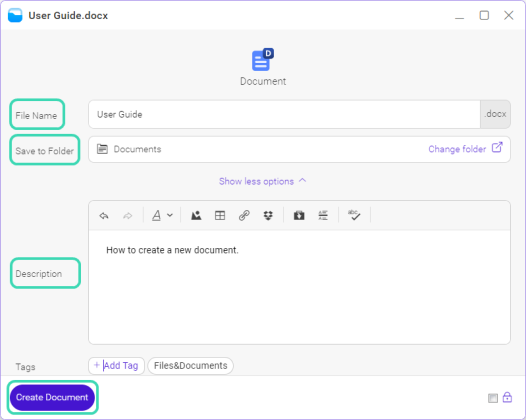
Figure. Show more options.
How to upload a document
There are two options for how to upload a document:
- Drag and drop the file to upload the document to the specific folder.
- Right-click at the top of documents list and select
 Upload from the context menu.