In WebClient you can import contacts in either CSV files o vCard formats.
- Navigate to Settings menu.
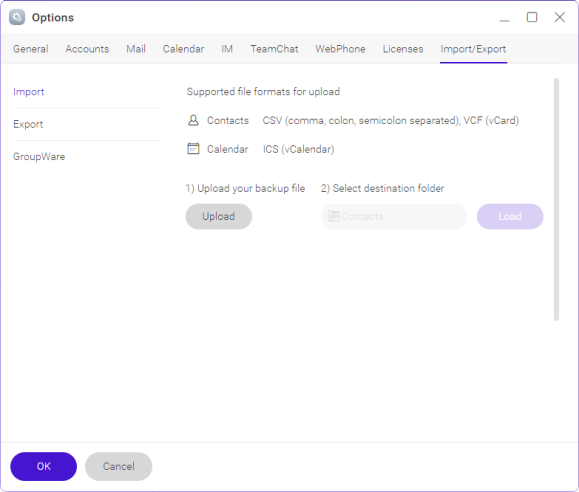
Figure. Importing contacts. - Navigate to Import/Export tab in the Options dialog
- In the Import section, upload the file, select the destination folder and click Load