To manage content, go to Inbox folder tree, click Context Menu ☰, choose Manage all items.
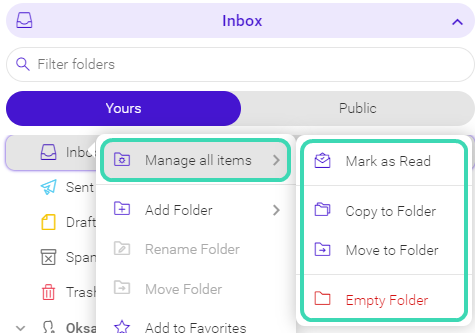
Figure. Content management.
- Mark as read. Removes highlighting of the unread emails to identify the next new messages better. This feature only available for folders containing mail or RSS item types.
- Copy to folder. Copies all folder items to another folder. Keeps the items in the original folder as well. This feature is only available for folders containing mail or RSS item types.
- Move to folder. Moves all folder items to another folder. Deletes the items from the original folder. The Move To Folder dialogue is shown to let you select the folder where to move items to. This feature is only available for folders containing mail or RSS item types.
- Empty folder. Deletes all content in the folder. This feature is only available for mail-type folders. Right-click the folder name, choose Empty Folder, click OK.