You can redirect emails to another account. Redirect option means that an email from your Inbox is copied to a recipient’s Inbox and is displayed as an original email without a forward mark.
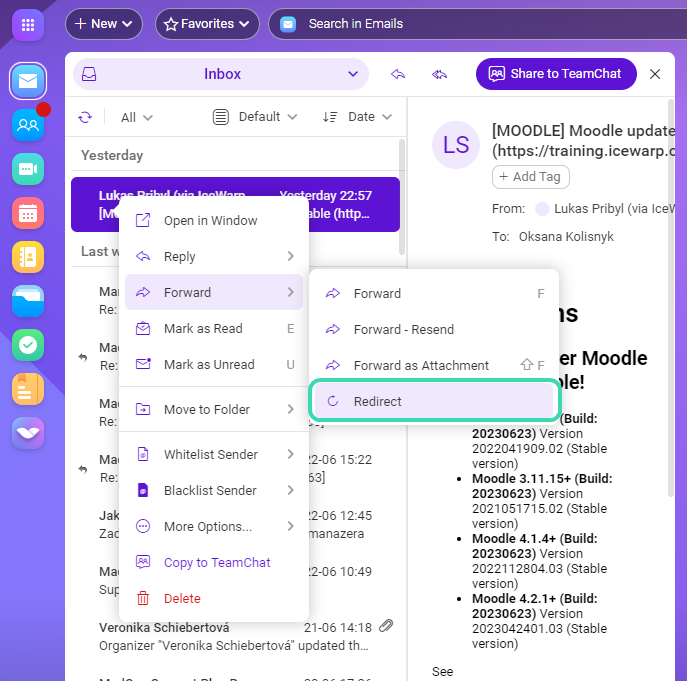
Figure. Redirecting emails.
- Right-click an email.
- Select Forward > Redirect.
- In the Select contacts dialog, select accounts that will receive the redirected email.
- Click OK.