You can send email from several accounts. Add a secondary account (either local or external).
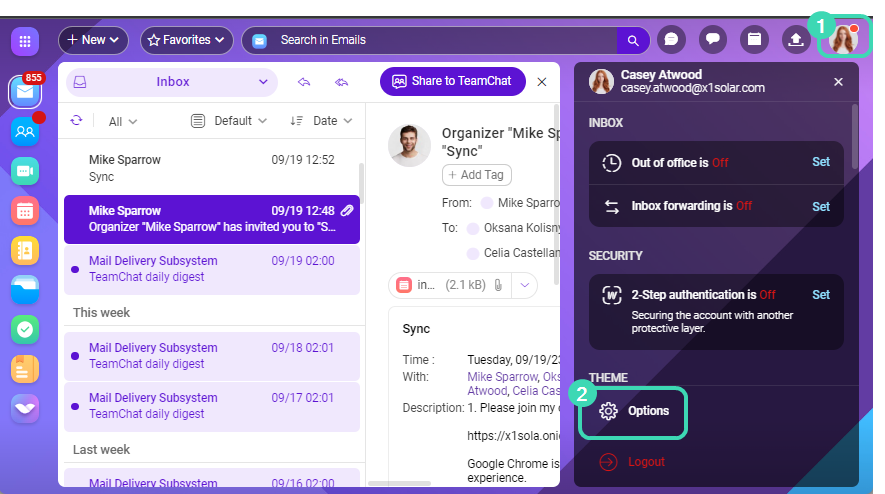
- Click your avatar
 and go to Options menu
  .
. - Go to Accounts tab > Other Accounts > Add.
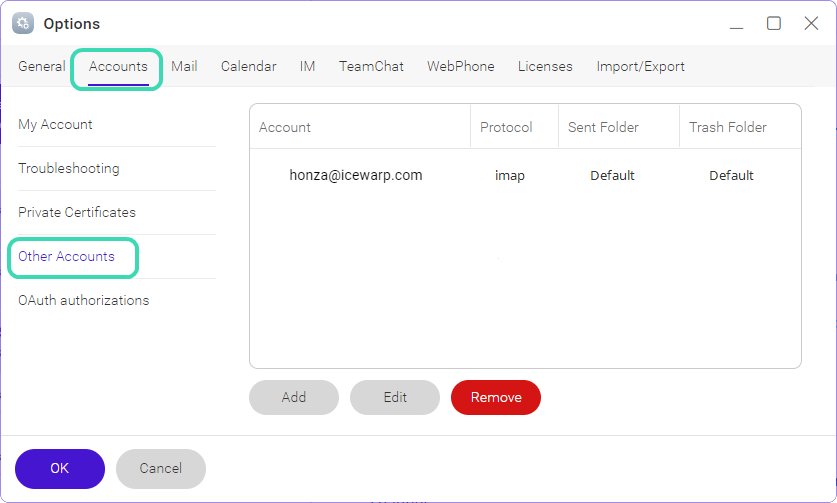 Figure. Options dialog.
 - Enter the account credentials, and select the default folders.
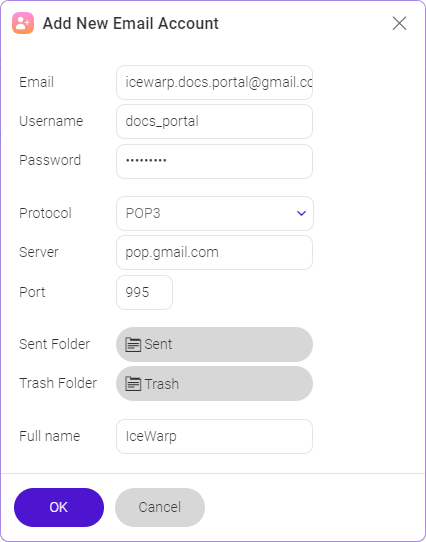
Figure. Add new Email Account dialog. - Account will be visible in your Inbox folder tree.
- After you add an account, select it in the New message dialog. Click your email address in From: and select a secondary account from the dropdown.