If you need to sennd a message to a group of people, you can create a Mailing list. Click To: and select recipients from the Address book (Contact folder, TeamChat room)  .
.
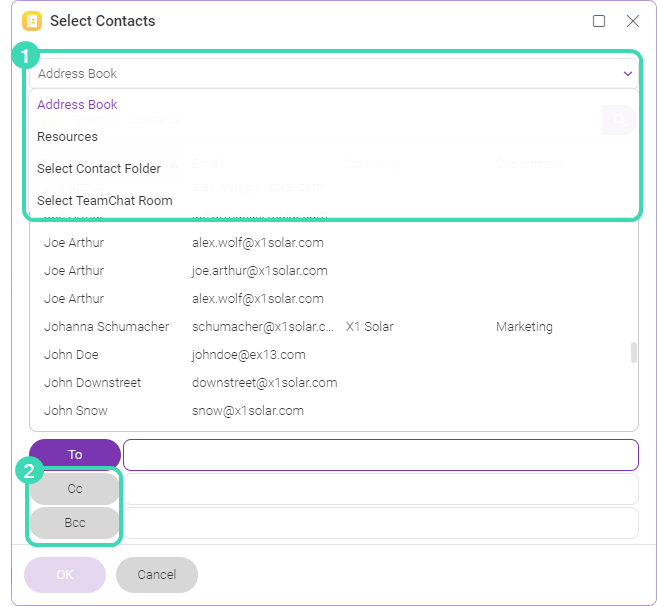
Figure. Selecting recipients for the mailing list.
- You can also send the copy to visible / hidden recipients, click Cc:/ Bcc:
 .
. - If you have the administrator rights in WebClient, you can create groups with pre-set group of accounts.
- If you select contacts from Teamchat room, you will see the list of the TeamChat rooms.
Note: If you have a planned meeting, you can send messages to all attendees. Right-click the meeting >  More options > Email attendees.