You can ask for help the IceWarp administrator, via Contact administrator link.
Note: These steps are valid only if administrator enabled Support link in WebAdmin > White Labeling > Login page options > Support Link. And if the checkbox Disable support link on login is not checked in Administrator Options > General > Login Screen.
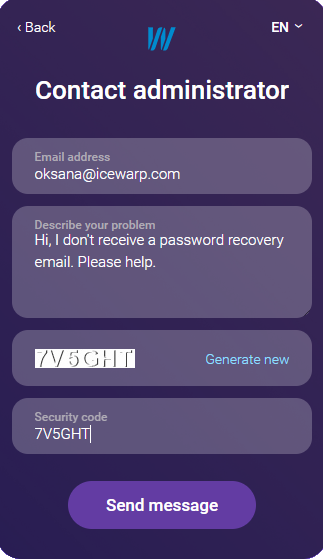
Figure. Contact administrator dialog
- Insert the email address for reply.
- Describe the problem. Description has to contain a detailed explanation of the problem.
- Enter the security code. If it expired or it is not readable, generate a new one.
- Click Send message.