Ccand/or Bcc lines are useful if you want to send the email to several recipients.
- Cc: the recipient of the copy will be visible to other recipients
- Bcc: the recipient of the copy will not be visible to other recipients
If you want to that the Ccand/or Bccfields were visible in the New Message window by default:
- Go to My avatar > ⚙Options> Mail > Mail compose.
- Check Cc and/or Bcc checkboxes, under Always show address lines.
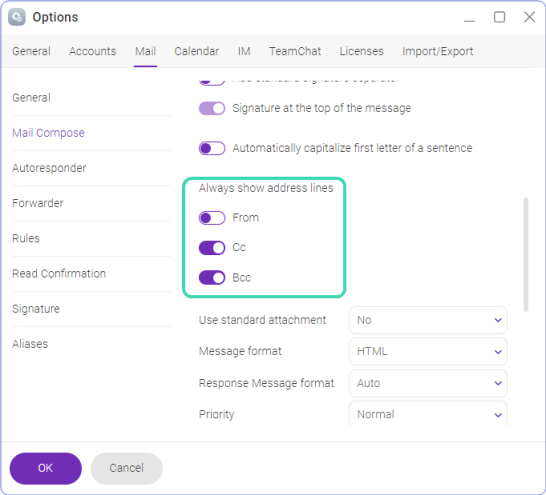
Figure. Cc & Bcc options setup.